Enable reCAPTCHA for Comment Section
Enable Google reCAPTCHA to prevent bot messages and spam comments.
PLUS | Enterprise Drag-and-Drop Theme Using the Product Review Feature
Overview
AI Summary
{ .audio-small }
Why Use reCAPTCHA
Pages that allow customer comments are vulnerable to bot attacks and spam. Enabling Google reCAPTCHA verification can effectively identify non-human operations, protecting your website from spam, abuse, and fraud, thereby maintaining the quality of the comment section. For more information on reCAPTCHA features, please refer to the official website .
Why use reCAPTCHA?
Pages that allow customer comments can be subject to bot attacks and spam. Enabling Google reCAPTCHA verification can effectively identify non-human operations, protecting the website from spam, abuse, and fraud, and maintaining the quality of the comment section. To learn more about reCAPTCHA features, please refer to the official website .
- Google reCAPTCHA provides a free usage quota. If you exceed the free quota1, customers will not be able to leave comments. For details, please see Quotas and limits .
- Supports the review section on "Product Pages" and the
Contact Uspage.

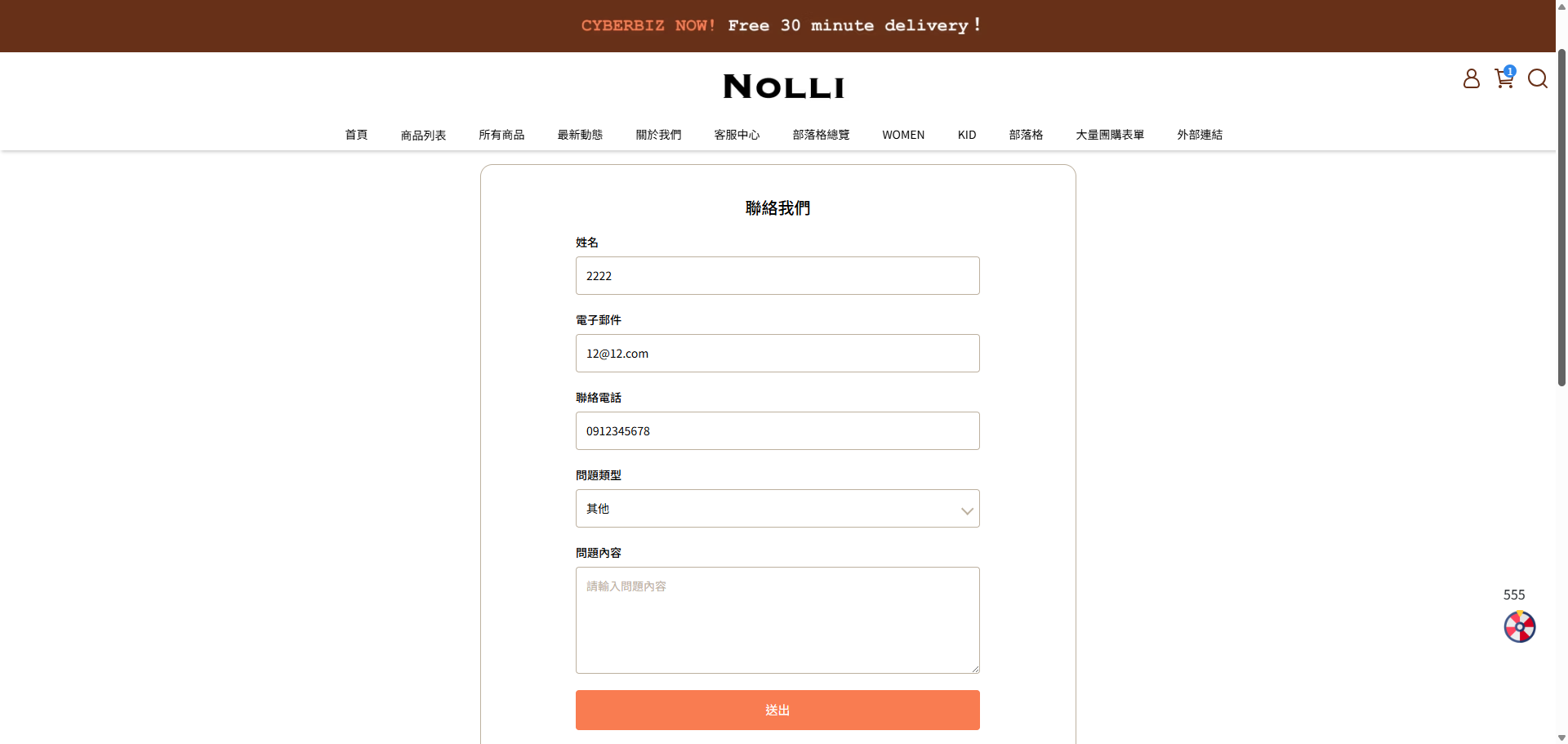
- Prevent spam comments: Protect your website's product review section and Contact Us page from spam messages automatically sent by bots.
- Enhance website security: Effectively identify non-human operations through the reCAPTCHA verification mechanism, increasing the website's protection level.
- Maintain customer interaction quality: Ensure that the content in the comment sections is genuine and valid, improving the customer interaction experience.
Steps
Step 1: Apply for Google reCAPTCHA Keys
- Go to the Google reCAPTCHA Admin Console and log in to your Google account.
- Fill in the registration information sequentially.
- Label: Name this reCAPTCHA according to your needs (e.g.,
Your_Store_Name_reCAPTCHA). - reCAPTCHA type: Choose "Challenge (v2)" and check "Invisible reCAPTCHA badge2".
- Domains: Enter your official website URL.
Domain Entry Notes
Do not include the prefix https:// or any suffix /.... For example, if your website URL is https://_demo1234.cyberbiz.co_ /en-us, please enter only _demo1234.cyberbiz.co_.
- Google Cloud Platform: Choose a project according to your needs.
- Click the "Submit" button, and you will obtain the Google reCAPTCHA "Site Key" and "Secret Key".

Copy and securely save the "Site Key" and "Secret Key". They will be used later to bind to your website pages.
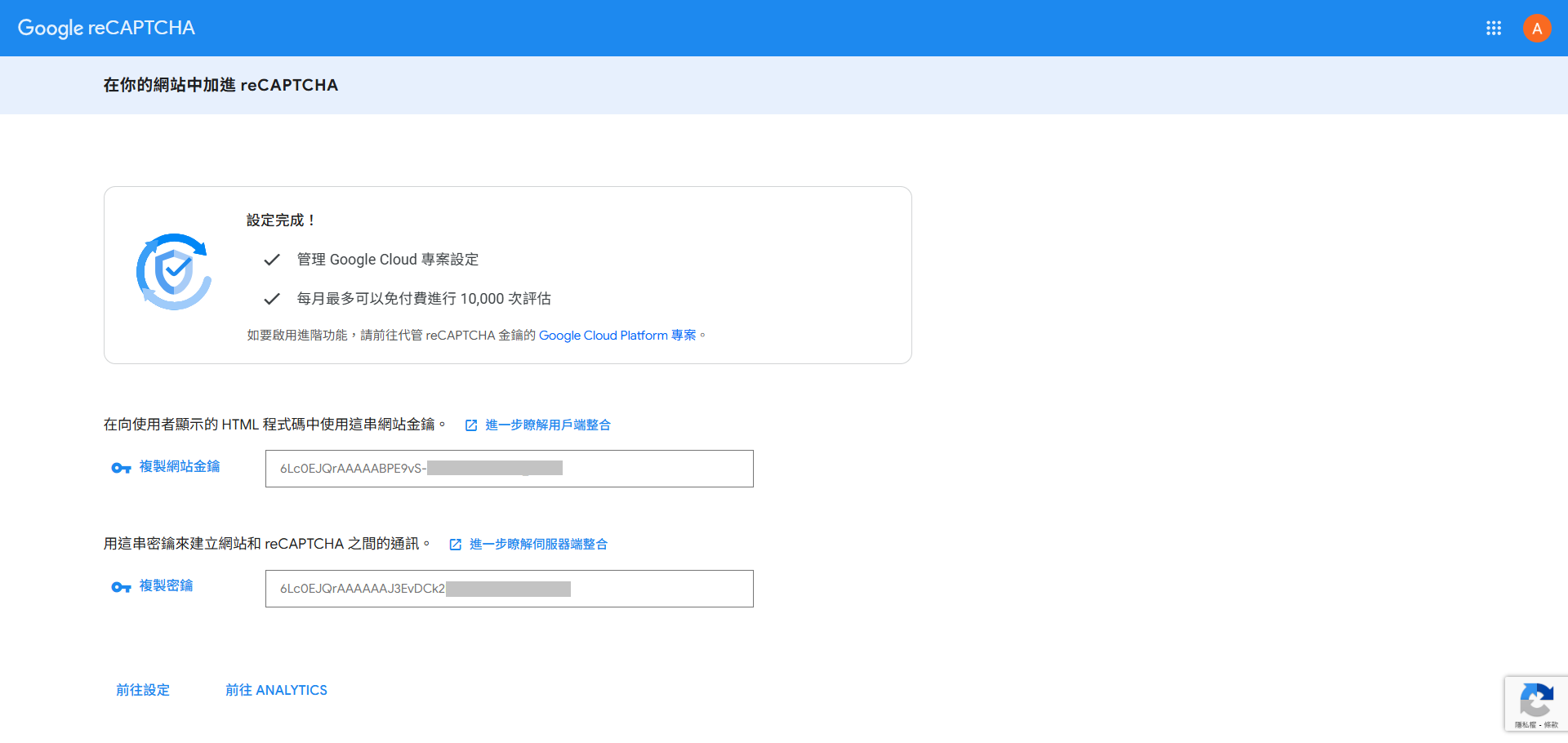
Step 2: Bind reCAPTCHA Keys to the Product Review Section 
The product review feature is only available for Enterprise and PLUS plan merchants. If you need to use this feature, please contact customer service to have it enabled. Learn how to Using the Product Review Feature.
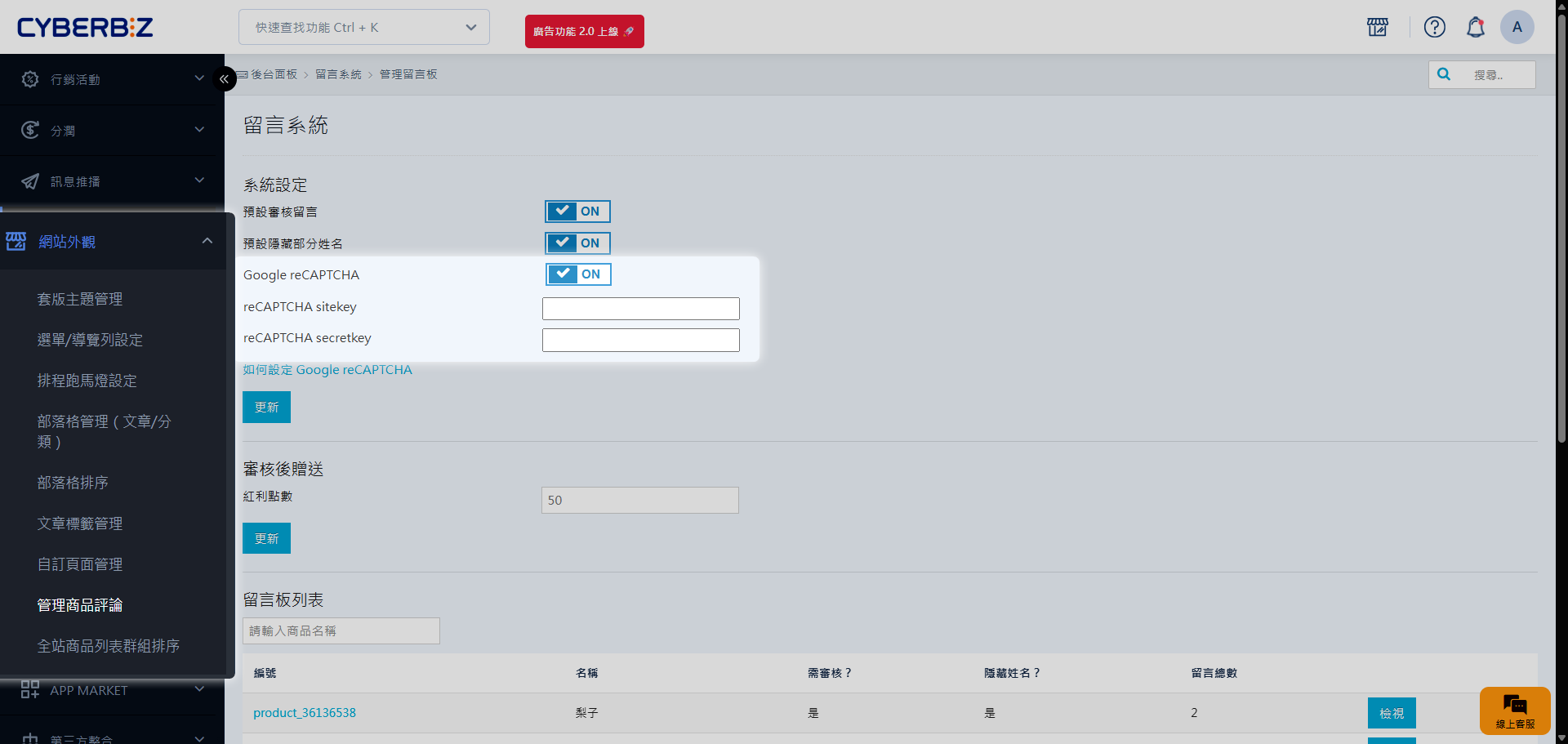
- Log in to the CYBERBIZ e-commerce backend, go to "Website Appearance" → "Manage Product Reviews".
- Click the Google reCAPTCHA switch to turn it on (ON).
- reCAPTCHA sitekey: Enter the "Site Key" you obtained in Step 1 into this field.
- reCAPTCHA secretkey: Enter the "Secret Key" you obtained in Step 1 into this field.
- Click "Update" to apply the changes.
Step 3: Bind reCAPTCHA Keys to the Contact Us Page
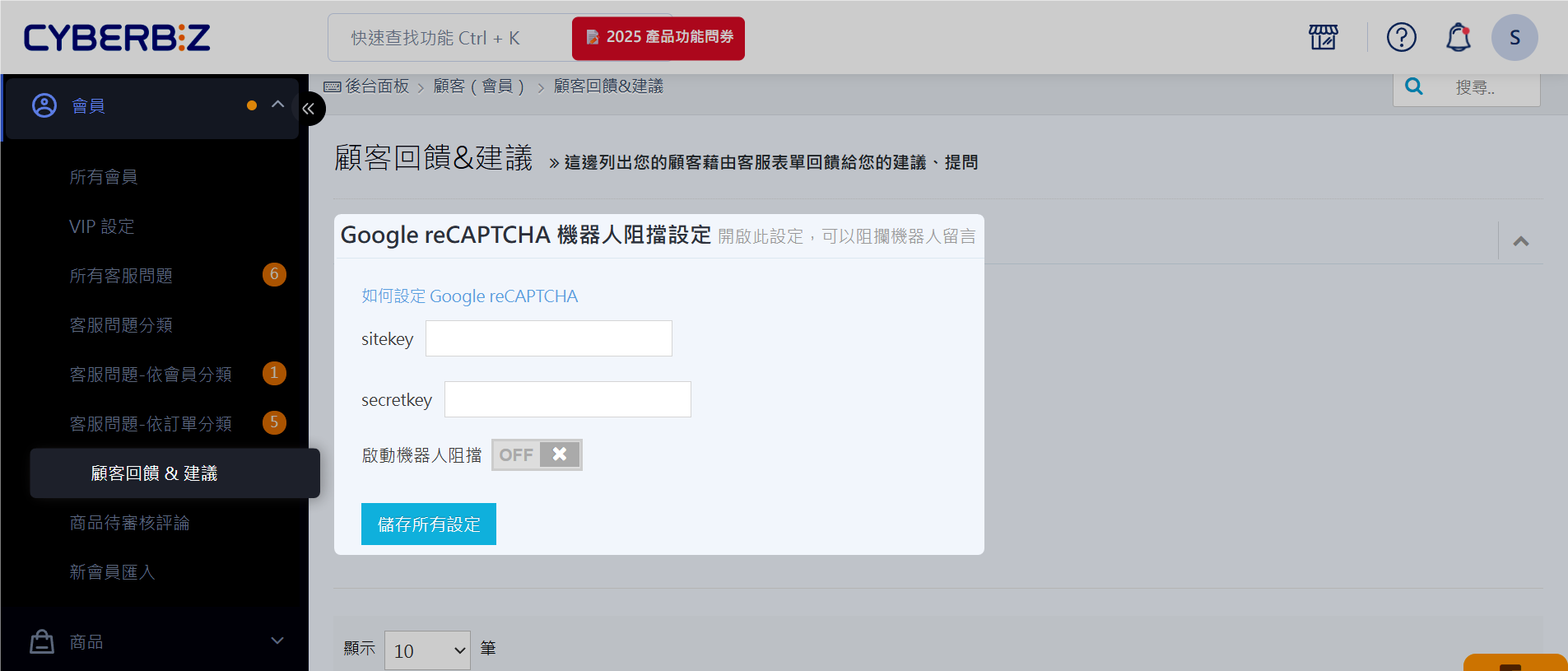
- Log in to the CYBERBIZ e-commerce backend, go to "Members" → "Customer Feedback & Suggestions".
- Click the "Enable bot protection" switch to turn it on (ON).
-
sitekey: Enter the "Site Key" you obtained in Step 1 into this field. -
secret key: Enter the "Secret Key" you obtained in Step 1 into this field.
- Click "Save all settings" to apply the changes.
FAQ
Can one Google reCAPTCHA account be bound to multiple domains?
Yes, one Google reCAPTCHA account can be linked to multiple domains. You can use the same set of keys for both the product review and Contact Us pages.
Does Google reCAPTCHA have a free usage quota?
Google reCAPTCHA offers a free usage quota. Google will notify merchants via email before the free usage limit is reached. If the free quota is exceeded, customers will not be able to leave comments. You will need to upgrade your plan with Google. For details, refer to reCAPTCHA - Quotas and limits.
What happens if the keys are entered incorrectly?
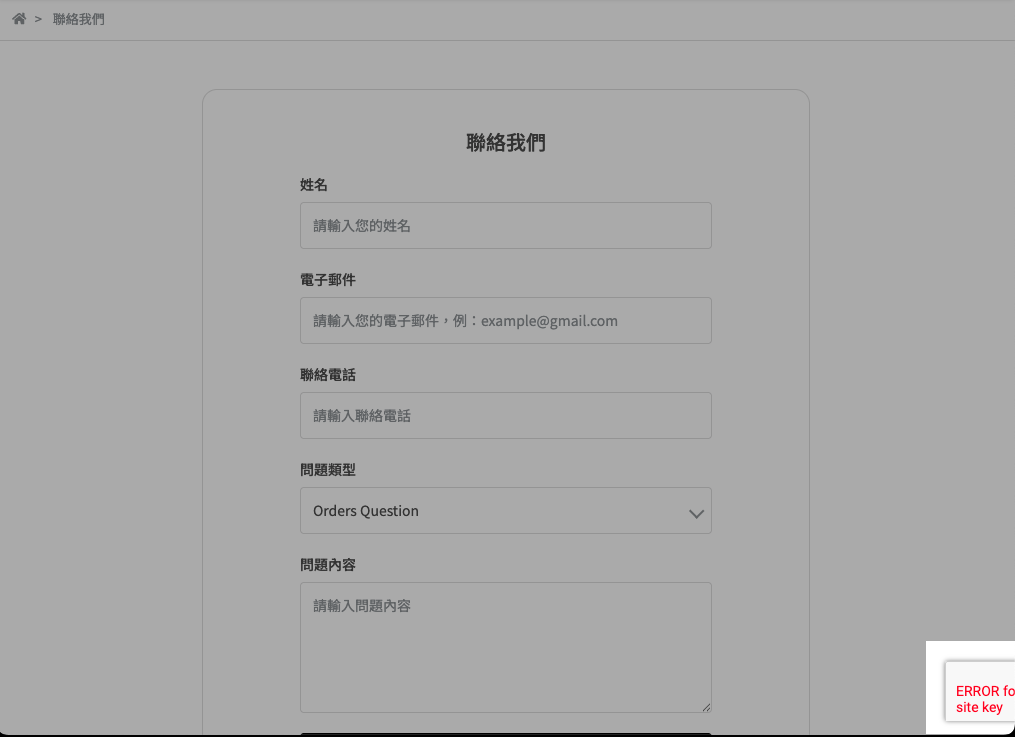
Please ensure the keys are entered correctly; otherwise, the comment feature will not function properly. If you see an error message (as shown below), please check if the keys are correct.
Is this reCAPTCHA feature applicable to all website themes?
This feature is only available for drag-and-drop themes.
Further Reading
-
Google will notify merchants via email before the free usage limit is reached. ↩
-
Invisible reCAPTCHA automatically determines if a user is a bot during interaction, typically without interrupting the customer's actions. A verification challenge only appears when the system deems the activity suspicious. This reduces customer friction while enhancing website protection. ↩