Product Management
Easily manage product information, categories, and inventory to improve listing efficiency.
-
Get Started
Quickly list products, categorize, and manage inventory to easily control store operations.
List Your First Product
Quick Start -
%%{init: {
"logLevel": "debug",
"theme": "base",
"gitGraph": {
"showBranches": true,
"showCommitLabel": true,
"mainBranchName": "Merchant"
}
}}%%
gitGraph
%% Activate
commit id: "Create Product" tag: "1"
commit id: "Set Product Information"
commit id: "Upload Product Images"
commit id: "Set Product Categories & Tags"
commit id: "Set Price & Inventory"

%% Customize
commit id: "Create Product Variants"
commit id: "Set Product Visibility & Status"
commit id: "Set Add-ons, Accessories, or E-tickets"

%% Test Operation
commit id: "Preview Product Page"
commit id: "Test Frontend Search & Filter"
%% Customer Interaction Start
branch "Customer"
checkout "Customer"
commit id: "Browse Product Page"
commit id: "Add to Cart"
commit id: "Complete Checkout"
%% Merchant Backend Follow-up Actions
checkout "Merchant"
merge "Customer" id: "View Order & Inventory Changes"
commit id: "Update Product Content"
commit id: "Bulk List/Unlist Products"

%% Integrate / Venture
commit id: "Integrate Third-Party Platform Products"
commit id: "Set Product Sync to POS/Store Pal"
commit id: "Analyze Product Sales & Performance Reports"
Get Started
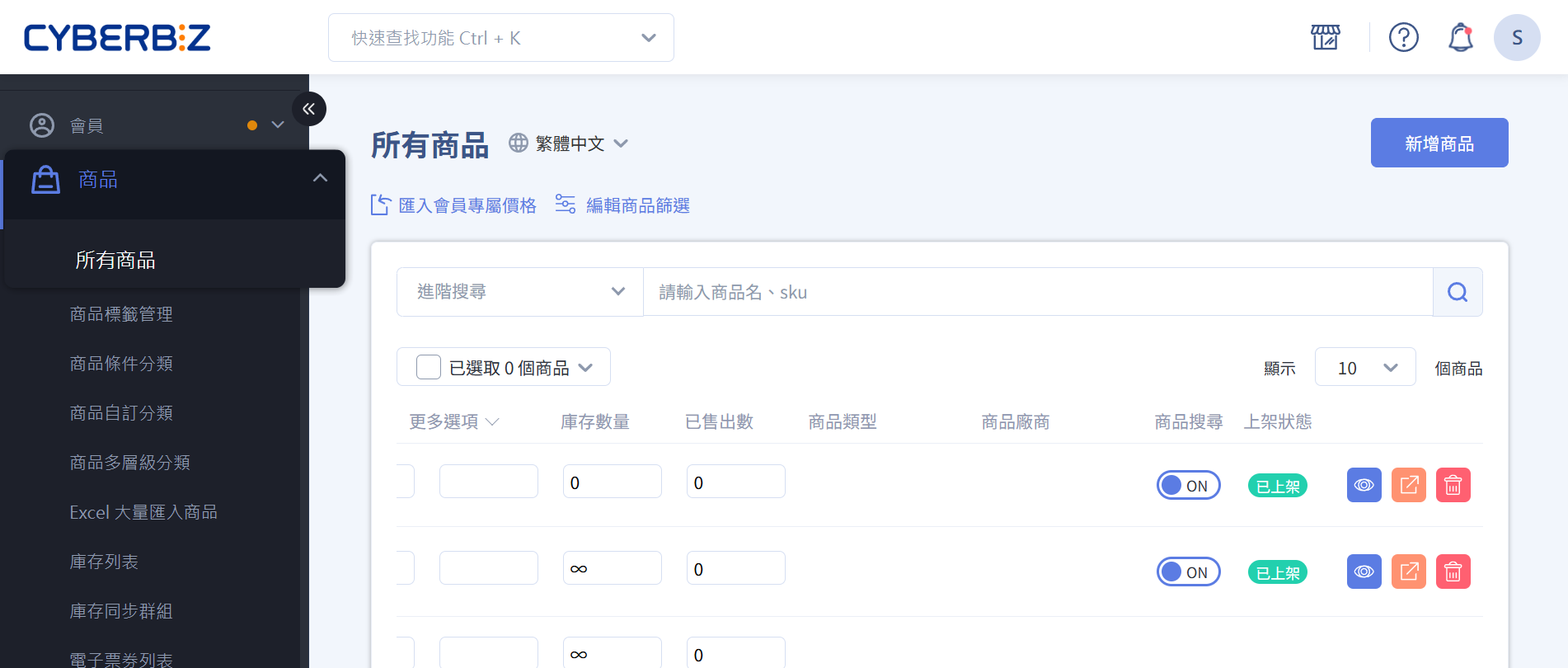
- Product Management Interface
Manage and operate products from the all products page.
- Add a Single Product
Create and list products, update product information.
Add a Bundle Product - Add Products in Bulk
Use Excel to add a large number of products at once. Import Products from Shopee - Add Pre-order Products
Create a pre-order channel and apply it to existing products.
- Search All Products
Use various search methods to find and operate on target products.
- Update Products in Bulk
Use Excel to update a large number of products and their information at once.
- Disable Product Search
Exclude products from specific search results. - Exclude Products from Uploading to Third-Party Platforms
Set exclusion tags to prevent products from being uploaded to third-party platforms.
Configuration
- Custom Product Category Groups
Create product category groups based on your needs. - Set Up Multi-Level Product Categories
Create a multi-level product structure and apply it to navigation bars and marketing campaigns.
- Set Up Frontend Product Filters
Allow customers to set their own filter conditions to find target products.
Operations
- Add Products in Bulk
Bulk import products via Excel - Bulk Edit Product Information
- Enable Product Reviews
Get real customer feedback to build brand credibility. Prevent Spam and Bot Comments - Send Back-in-Stock Notifications
Automatically send restock notification emails to customers who are following the product. Configure Email Notification Style - Edit Product Information & Settings
- How to Use Product Group Filters
- Adjust Frontend Product Filter Conditions
Adjust the filter conditions and sorting of the product page filter.
Integrations
- Bulk Update Product SKUs
Import via Excel to update all products missing SKU information. Sync POS Products
- Sync E-commerce and Warehouse Inventory
Integrate with "Fengchao Logistics" system to synchronize product inventory.
- Set Up Google Shopping Ads
Sync product data to Google Search and Shopping ads - Automated Advertising System
- Migrate Products from Shopee
Import products from your Shopee store to your CYBERBIZ brand websiteCYBERBIZ CHANNEL BRIDGE
Growth & Expansion
Further Reading
- Product Visibility
Features and settings that affect product visibility.
New Merchants | Starting from Scratch
-
Create Your First Product
Add a Single Product
Product Management Interface
Product Visibility Guide
- Organize Your Product Catalog
Set Up Multi-Level Product Categories
Set Up Product Tags
Set Up Frontend Product Filters
- Basic Operational Settings
Set Product Logistics, Temperature Layers, and Shipping Channels (Standard Delivery)
Set Product Slogans and Short Descriptions
Set Up Product Videos
Growing Merchants | Increasing Revenue
-
Bulk Management Tools
Add Products in Bulk
docs/ec/product/activate/Bulk Edit Product Information
Search Products in Admin
How to Search Products in Admin
- Promotional & Marketing Tools
Set Up Add-on Purchase Groups
Set Up Mix-and-Match Discount Groups
docs/ec/product/operation/Set Up Single-Item Timed Discount Groups
Set Up Discount Exclusion Groups
- Enhance Shopping Experience
Set Up Product Reviews
Set Up Back-in-Stock Notifications
Edit Product Information & Settings
Filter Products to Create Category Groups
Mature Merchants | Scaling Operations
-
Advanced Sales Models
Add Bundle Products
Set Up E-tickets
Set Up E-ticket Mix-and-Match Discounts
Set Up E-ticket Store Permissions
- Member Management & Differentiation
Set Up VIP Member Exclusive Prices
Set Up Secret Groups
Set Up Multilingual Names for Add-on Groups
- Multi-channel Integration
Configure Google Shopping Ads (GMC)
docs/ec/product/configure/Exclude Products from Uploading to Third-Party Platforms
Set Product Logistics, Temperature Layers, and Shipping Channels (Cash on Delivery)
docs/ec/product/operation/Set Up Multiple Shopping Carts
- Operational Optimization
Set Up Product Category Groups
Set Up Conditional Category Groups
Set Frontend Product Group Sorting
Set Convenience Store Logistics Restrictions and Exclusions for Products
Feature Quick-Find
Know what to do but not sure which feature to use? I want to...
-
Add a Single Product
Create and list a single product -
Add Products in Bulk
Bulk list products, improve listing efficiency -
Edit Product Information & Settings
Modify product information -
Bulk Edit Product Information
Bulk edit
-
Set Up Multi-Level Product Categories
Create category structureDrag-and-drop layout -
Set Up Conditional Category Groups
Automatic categorization -
Set Up Custom Category Groups
Manual categorization -
Set Up Secret Groups
Hidden categories
-
Set Up Add-on Purchase Groups
Add-on purchase -
Set Up Mix-and-Match Discount Groups
Mix-and-match offer -
Set Up Single-Item Timed Discount Groups
Limited-time offer -
Set Up VIP Member Exclusive Prices
Member price -
Set Up Bundle Products
Bundle offer
-
Set Product Logistics, Temperature Layers, and Shipping Channels (Standard Delivery)
Delivery settings -
Set Product Logistics, Temperature Layers, and Shipping Channels (Cash on Delivery)
Cash on delivery - Set Convenience Store Logistics Restrictions and Exclusions for Products
Convenience store restrictions
-
Set Up Product Reviews
Product reviews -
Set Up Back-in-Stock Notifications
Back-in-stock notification -
Frontend Product Filters
Product filtering -
Set Up reCAPTCHA for Comments
Anti-spamSecurity